 Omnirelio
A basketball scoreboard with a shot clock, run by remote
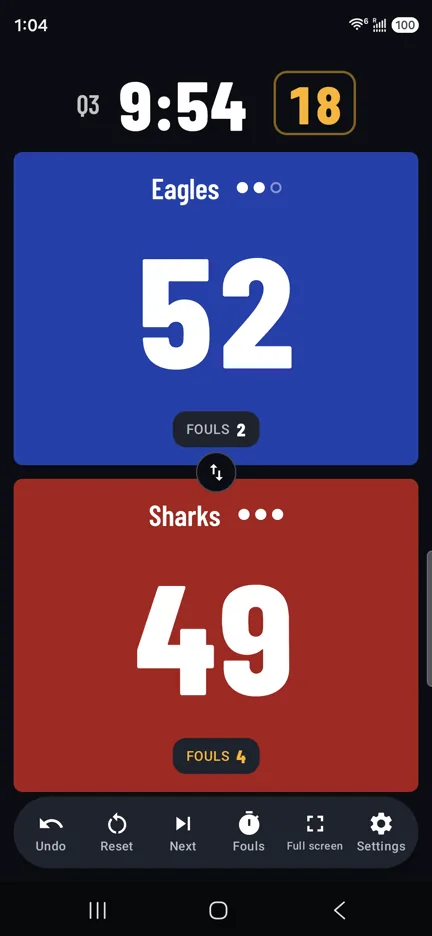
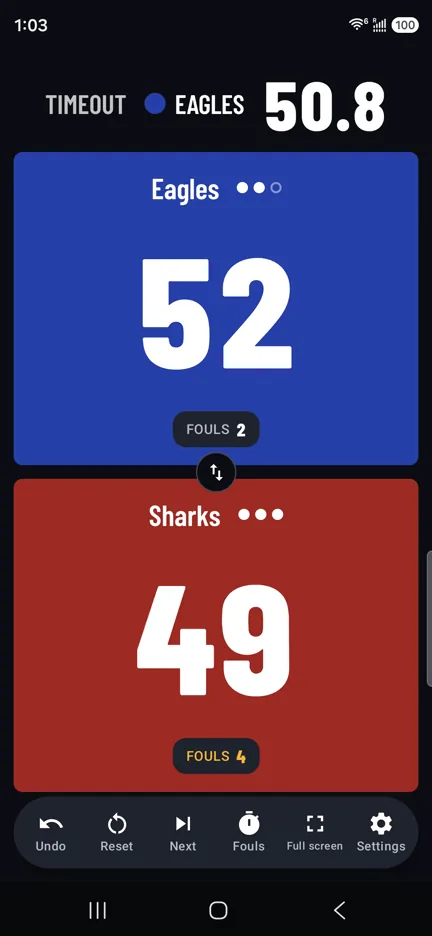
Game clock, shot clock, timeouts and team fouls on your phone. Start the clock, add 2 or 3 points and reset the shot clock from the bench, without touching the screen.
FIBA, NBA or NCAA, filled in
Pick your rules and the clock, the shot clock, timeouts and fouls follow them. Change any of it for your league.
- FIBA
- 4 quarters of 10 minutes, shot clock 24 and 14
- NBA
- 4 quarters of 12 minutes, shot clock 24 and 14
- NCAA men
- 2 halves of 20 minutes, shot clock 30 and 20
- Overtime
- 5 minutes, with its own timeouts
- Team fouls
- Counted, with the penalty shown from the 5th (NCAA: 7th per half)
- Timeouts
- Left per team, by your rules, each one counted down
A clock you can trust
-
It keeps running
The game clock keeps counting even if the app is closed, and it is still there after a phone restart.
-
Everything on the remote
Teach buttons for start and stop, +2 and +3, the shot clock reset, timeouts and fouls. A long press is a second button.
-
Fix a mistake
Undo goes back up to 100 steps, points and fouls alike. Hold the clock to correct its time.
Basketball questions
Can I run a youth game with shorter quarters?
Yes. Quarter length, the number of periods, overtime, the shot clock and timeouts can all be changed on the Sport page.
Which remote should I buy?
For basketball, more buttons help: a media or ring remote can carry the clock, both teams and Undo. The guide compares them.
Can I show it on a big screen?
Yes. Connect a TV or monitor with a cable, or a wireless display, and the board with both clocks fills it while your phone keeps the controls.
Your phone is the scoreboard
Scoremote is coming to Google Play soon, free. Want to hear when it's out? Email us and we'll let you know.