 Omnirelio
A pickleball scoreboard you run with a remote
Prop your phone by the net and keep score while you play or referee. A press on a small Bluetooth remote, on your finger or in your pocket, puts the point up.
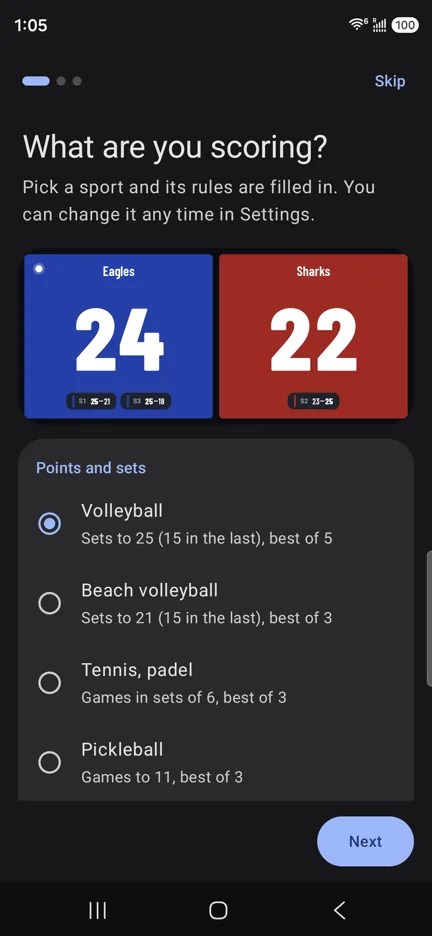
Pickleball's rules, filled in
Pick Pickleball and the board knows the format. Change any of it for your club or tournament.
- Games
- To 11, win by 2
- Match
- Best of 3 games
- Serve
- Shown on the team that serves
- Timeouts
- 2 per game, 1 minute
- Between games
- A 2-minute break, counted down
- Sides
- Teams change ends after each game
Scoring while you play
-
Wear the remote
A ring remote stays on your finger through every shot; a selfie remote fits in a pocket.
-
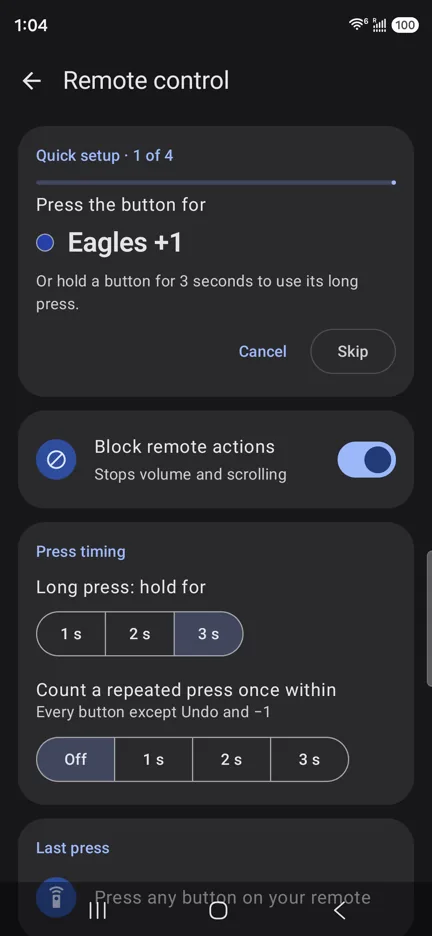
Press for the point
One button per team, and a long press for Undo. The board flags a point that can win the game or the match.
-
Next game
When a game is won, one more press confirms it; the game's score is kept and the teams change ends.
Pickleball questions
Does it work with side-out scoring?
Yes: press only when the serving team wins a rally, as you would call it. With rally scoring, press for every rally. Games to 15 or 21 are a change on the Sport page.
Which remote is best for playing?
A ring remote: it stays on your finger and has buttons for both teams and Undo. The guide compares the kinds.
Can players on the far court read it?
Full screen fills the phone with the two scores in team colors. For a bigger board, connect a TV or monitor, and the score shows there while your phone keeps the controls.
Your phone is the scoreboard
Scoremote is coming to Google Play soon, free. Want to hear when it's out? Email us and we'll let you know.